
One calendar, one approval trail, every channel.
Plan and schedule social activity across channels from a single content calendar, with draft-and-approve steps so marketing, design and leadership stay in sync before anything goes live - and nothing gets published twice or not at all.
Own it outright with a perpetual licence.
What Social Media Management does
The core capabilities, and what each one actually changes in your day-to-day.
Shared content calendar
Every planned post, campaign and channel on one calendar the whole team can see, filter and plan against weeks ahead.
Scheduling across channels
Queue content per channel with the right format and timing, rather than someone posting manually at 9pm.
Draft, review and approval flow
Copy and creative move through defined review steps, so leadership sees what is going out before it goes out.
Asset library
Approved images, videos and brand assets kept where the content team can find them, attached to the posts that use them.
Comments & change history
Feedback sits on the post itself with a version trail, instead of spread across chat threads.
Campaign planning & reporting
Group posts into campaigns and track what was published, by whom, and on which channels.
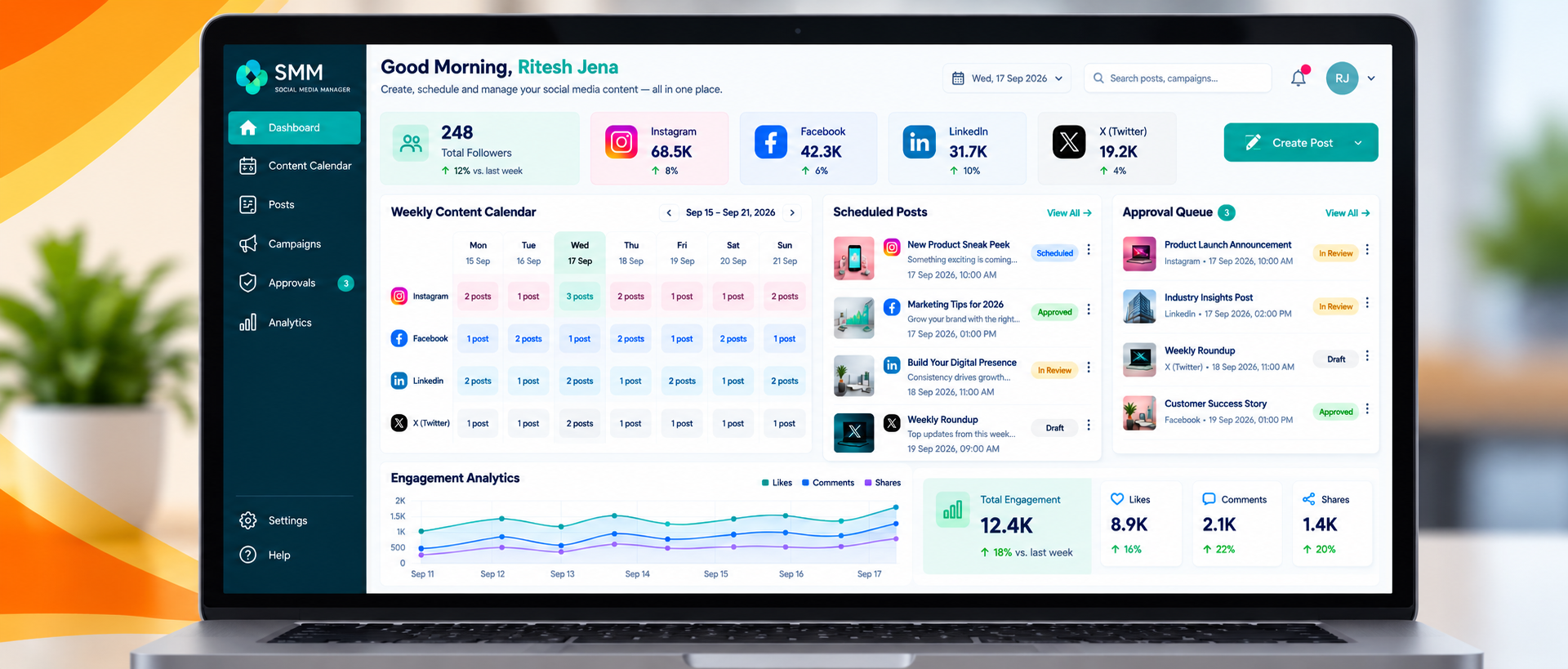
See Social Media Management in action
The screen above is the actual Social Media Management dashboard - here's what it puts in front of your team every day.
- Shared content calendar
- Scheduling across channels
- Draft, review and approval flow
Who it's for
Social Media Management is a fit if any of the following sounds like your situation.
- In-house marketing teams juggling several brand channels
- Agencies managing content for multiple clients
- Regulated businesses that need an approval trail before publishing
- Teams where content currently lives in a spreadsheet and a chat group
- Teams that want an enterprise level of application without enterprise-level overhead
- Businesses that need a cost effective alternative to per-seat SaaS pricing
- Organisations that want lightning fast application development and rollout
Own it, don't rent it
Everything in the CodeZenX ecosystem is built on our own low-code platform, which means it can be shaped to your process, deployed on infrastructure you control, and extended when your business changes - instead of waiting for a vendor's roadmap.
How we get you live
A short, predictable path from first conversation to a system your team uses every day.
Set up channels & brands
Channels, brands or client accounts are configured with their own calendars and access.
Define the approval chain
Who drafts, who reviews, who signs off - written into the workflow instead of understood informally.
Plan a month ahead
The team fills the calendar, sees gaps and clashes early, and stops improvising on the day.
Review and repeat
Published history and campaign grouping make the next planning cycle faster than the last.
Download the Social Media Management brochure
The full CodeZenX brochure covers Social Media Management alongside the rest of the ecosystem - capabilities, deployment options and how the perpetual and subscription models compare. Useful if you need something to circulate internally before a call.
Common questions
Which platforms are supported?
Supported channels depend on what each platform's API currently allows for scheduled publishing. The exact list is confirmed during scoping rather than promised blindly.
Can agencies separate clients?
Yes. Each client can have its own calendar, assets, approval chain and user access inside a single installation.
Does it replace our designers' tools?
No. Creative is still made in your design tools; this is where it gets planned, reviewed, approved and scheduled.
Can approvers work from a phone?
Yes. The interface is responsive, so reviewing and approving a post works from a phone as well as a desktop.
Ready to talk about Social Media Management?
Tell us how your team works today and we will come back with a scope and a quote - perpetual, subscription, or a custom build on the platform.